
 how-to
7 Phase Fixes to Make Before You Send Your Mix to Mastering
Last Updated: October 25, 2026
Quick Summary
To fix phase issues before mastering, check your mix in mono and compare polarity flips and small time nudges on suspect track pairs like kick and bass. Fix only what loses weight or body in the full mix, and leave intentional width alone.
- Listen in mono first: if kick and bass lose weight, you have a phase relationship to solve.
- Start time nudges at 1-5 ms and stop when the transient and low end feel most solid.
- Align drum close mics to the overheads, not to the grid, to preserve the groove.
- Constant negative low-end readings on a correlation meter usually mean real trouble.
- Skip any fix that helps a soloed pair but hurts the full mix in context.
Table of Contents
- Why Phase Issues Wreck a Master (and How to Hear Them)
- How to Check Phase in a Mix Before You Touch a Plugin
- Phase Alignment for Drums: Multi-Mic and Layered Tracks
- Mono Compatibility Mixing: The Test That Exposes Cancellation
- Reading a Phase Correlation Meter (and When to Ignore It)
- Phase Correction Trade-Offs: When Not to Fix It
- Pre-Master Delivery Checks and Notes for Your Mastering Engineer
- Book a Session and Let a Pro Confirm Your Phase Is Clean
- Frequently Asked Questions
Why Phase Issues Wreck a Master (and How to Hear Them)
Phase issues are the most common reason a mix that sounded huge in the studio collapses on a phone speaker. At LB-Mastering Studios, we hear it constantly: a track arrives with strong individual elements, but the low end feels weak and the vocal sits behind a curtain.
Phase describes the timing relationship between two or more audio tracks. When waveforms line up, they add together. When they drift apart, they subtract from each other. That subtraction is what steals your power.
Phase vs. Polarity: What You're Actually Fixing
Polarity is a simple flip: the waveform turns upside down. Phase is a time shift, and it can be any amount, not just a full flip. A polarity inversion is a one-click fix. True phase alignment means nudging a track in time until its peaks match the source.
Most DAWs label the button "phase flip" when they really mean polarity. Knowing the difference stops you from flipping a switch and calling it done.
The Symptoms: Thin, Hollow, Weak Bass
Listen for these signs before you reach for any tool:
- Thin low end on kick and bass together
- Hollow, distant vocals that lack body
- Loss of clarity when the full mix plays
If a solo'd kick sounds massive but the full mix feels light, phase is a prime suspect.
How to Check Phase in a Mix Before You Touch a Plugin
The fastest way to check phase in a mix is to listen in mono and watch your low end. Fold the stereo mix to mono and play the kick and bass together. If the bass loses weight or the kick thins out, you have a phase relationship problem to solve.
A repeatable workflow beats random clicking. Use this sequence every time, before you open any plugin:
- Full-mix stereo listen. Play the whole mix at a moderate level and note anything that feels weak, hollow, or unstable. Write it down, don't trust memory.
- Full-mix mono sum. Switch your monitor controller or DAW to mono. Listen for elements that shrink, vanish, or lose body. The low end is the first place to check.
- Isolate suspect pairs. Solo the two tracks you suspect, usually kick and bass, or snare close mic and overhead. Listen in mono at a healthy level.
- Polarity flip comparison. Flip polarity on one track and compare. If the low end gets fuller, you have a polarity relationship worth keeping. If it gets thinner, flip back.
- Time nudge comparison. Nudge the track in small increments, start with 1-5 ms, and listen again. Stop when the transient and low end feel most solid.
- Context check. Un-solo and listen in the full mix, both stereo and mono. A fix that helps the soloed pair but hurts the full mix is not a fix.
Distinguish Phase from Arrangement, EQ, or Masking
Not every thin-sounding mix is a phase problem. Before you flip a polarity switch or nudge a waveform, rule out the other common causes:
- Arrangement: If the kick and bass are playing the same notes in the same octave, they will fight for space regardless of phase. Try moving one part up an octave or changing the rhythm.
- EQ masking: A boost at 200-400 Hz on the bass can swallow the kick's body. Solo each track and sweep a narrow EQ boost to find where they collide.
- Masking: A dense synth pad or doubled guitar can hide a vocal without any phase cancellation. Mute the suspect layer and listen, if the vocal opens up, the issue is level or arrangement, not phase.
A quick diagnostic: if flipping polarity makes the problem worse, phase may not be the cause. If nudging the track in time changes the tone but doesn't restore weight, look at EQ or arrangement instead.
Use Your DAW's Measurement Tools
Your ears lead, but meters confirm. Most DAWs include tools that make phase relationships visible:
- Correlation meter: Shows how much left and right channels share. Near +1 means closely correlated; near -1 means they are fighting. Constant negative readings on the low end usually mean real trouble.
- Vectorscope: Displays stereo width and phase relationships in real time. A narrow, vertical line suggests mono compatibility; a wide, horizontal spread suggests out-of-phase content.
- Waveform view: Zoom in to the sample level to compare transient peaks between two tracks. Line up the first peak of the close mic with the overhead to see the timing offset.
The meter tells you where to look. Your ears decide whether to act. For a broader list of traps, see our breakdown of common mixing mistakes that ruin mastering.
Phase Alignment for Drums: Multi-Mic and Layered Tracks
Multi-mic drum recordings are phase trouble waiting to happen. When you close-mic a snare and also capture it with overheads, the same hit reaches each mic at a slightly different time.
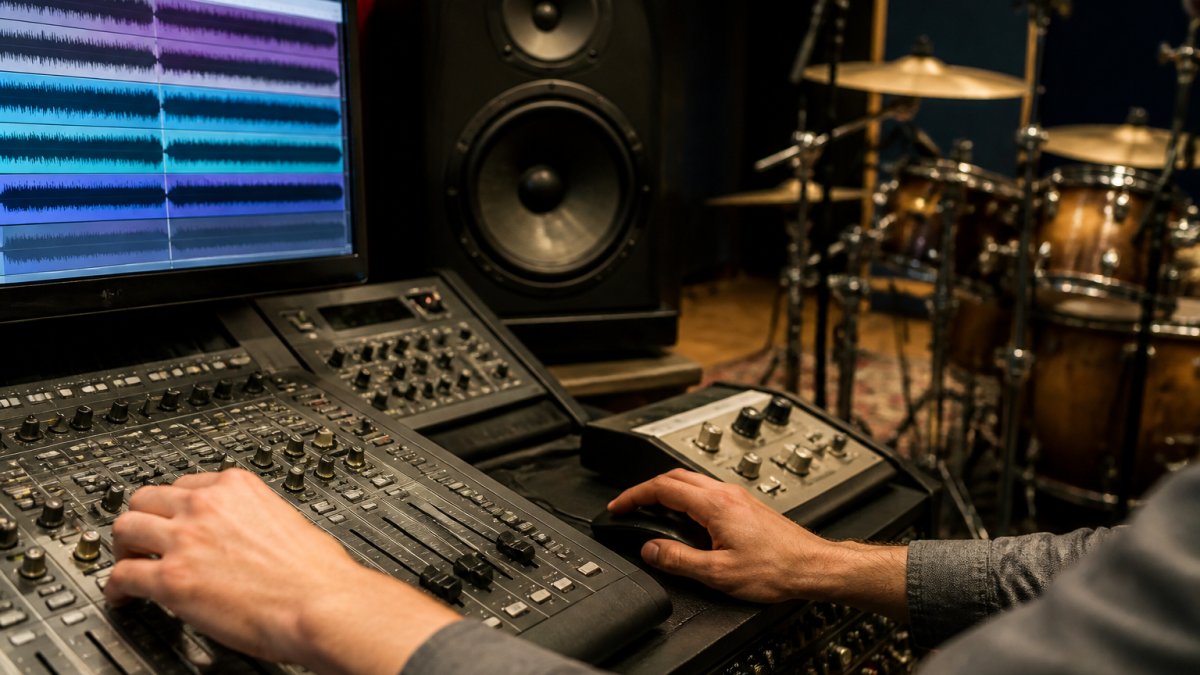
The fix is waveform alignment. Zoom in on the transient, line up the first peak of the close mic with the overhead, and listen.
A common mistake is aligning everything to the grid instead of to each other. Phase alignment is about the relationship between tracks, not perfect timing.
Mono Compatibility Mixing: The Test That Exposes Cancellation
Mono compatibility mixing is the practice of checking your mix in mono so any phase cancellation becomes obvious. Many listeners hear your track on a single speaker, so a mix that only works in stereo is a risk.
Run this test on the full mix:
- Sum to mono and listen at moderate volume.
- Check that the vocal stays present.
- Confirm the bass and kick keep their weight.
Elements that vanish in mono are usually out of phase. Fix them at the source, not with a stereo widener.
Reading a Phase Correlation Meter (and When to Ignore It)
A phase correlation meter shows how much your left and right channels share. A reading near +1 means they are closely correlated (Q. What are my phase-correlation meters telling me?).
Use it as a guide, not a rule. A wide stereo synth pad can sit near zero and still sound right.
The meter tells you where to look. Your ears decide whether to act. For a broader list of traps, see our breakdown of common mixing mistakes that ruin mastering.
Phase Correction Trade-Offs: When Not to Fix It
Not every phase problem needs fixing. Time-aligning tracks can smear transients and rob a snare of its snap. Polarity flips can fix the kick and hurt the toms. The goal is not perfect phase, it is a mix that sounds right in context.
Here is how we weigh the trade-offs:
| Situation | Action | Trade-off |
|---|---|---|
| Bass disappears in mono | Align or flip polarity | May weaken stereo width |
| Snare loses punch after alignment | Leave it, trust your ears | Slight phase smear remains |
| Wide synth reads near zero | Ignore the meter | None, it sounds right |
| Vocal thins against a layer | Nudge the layer in time | Can soften the attack |
| Overheads and close mics fight | Align to the overhead, not the grid | May shift the groove slightly |
How Alignment Changes Tone, Transients, and Width
Every phase correction is a trade. Understanding the mechanism helps you decide:
- Tone: Time-aligning a close mic to an overhead can change the frequency balance. The comb filtering that made the snare sound bright may disappear, leaving it duller. Always compare before and after in the full mix.
- Transients: Nudging a track forward can soften the attack. A snare that snapped may now sound mushy. If the transient is the reason the part works, leave it alone.
- Stereo width: Polarity flips and time shifts can narrow the stereo image. A wide synth pad that reads near zero on the correlation meter may sound right in stereo but collapse in mono. Decide which listening context matters more for the track.
When to Leave Phase Alone
Some phase relationships are intentional and should stay:
- Room mics and ambient pairs: The natural delay between close and room mics is what gives a drum kit its depth. Aligning them perfectly can make the kit sound flat and two-dimensional.
- Double-tracked guitars: The slight timing differences between two performances create width. If they sound good in stereo and acceptable in mono, don't force them into alignment.
- Stereo synth patches: Many wide patches rely on phase differences between left and right. If the mono sum is acceptable, leave the width alone.
A practical rule: if the mix sounds good in stereo and survives a mono check without losing essential elements, you are done. Overcorrection is more common than under-correction.
Pre-Master Delivery Checks and Notes for Your Mastering Engineer
Before you send files, run a short checklist so your mastering engineer starts from a clean base:
- Mix checked in mono for cancellation
- Kick and bass polarity confirmed
- Drum mics time-aligned
Clear notes save a revision round. Our guide on how to prepare audio files for professional mastering covers file formats and delivery details. When you are ready, you can send your mix for mastering and let a fresh set of ears confirm the phase is clean.
Book a Session and Let a Pro Confirm Your Phase Is Clean
Phase problems hide in plain sight, and the cost shows up after release. A second set of trained ears catches what a tired mix session misses.
At LB-Mastering Studios, our Latin GRAMMY Award-winning engineer brings 44+ years of experience and a room full of premium analog outboard gear to every project.
Get started with LB-Mastering Studios and book a session to confirm your phase is clean before your release goes out.
Frequently Asked Questions
Should phase problems be fixed before mastering?
Yes. Fix phase issues in the mix, not at mastering. A mastering engineer works on the stereo file you deliver, so cancellation baked into the mix limits what any processing can recover. If two layered guitar tracks cancel at 200 Hz, mastering cannot un-cancel them without guessing. Run a mono check and a correlation meter pass before you bounce, and correct polarity or timing problems at the source. Bring unresolved questions to your mastering engineer in the delivery notes.
How can you tell if a mix has phase problems?
Listen in mono and watch for collapse: the mix thins out, the low end weakens, or a vocal or snare loses body. Compare the stereo and mono versions of the same bar. A phase correlation meter reading that hovers near zero or dips negative on bass-heavy sections confirms cancellation. Solo layered tracks and flip polarity on one to hear whether the part gets fuller or thinner. Those three checks catch most phase issues before mastering.
What is the difference between phase and polarity?
Polarity is a fixed 180-degree flip of a signal, done with a polarity inversion button. Phase is a time relationship: two waveforms can be offset by any amount of delay, not just half a cycle. A polarity flip is one tool for correcting phase, but timing shifts and mic placement also change phase. That is why phase alignment for drums often means nudging a waveform by milliseconds rather than pressing a polarity button.
Does mono compatibility mixing matter for streaming?
It matters more than most producers assume. Phones, smart speakers, and Bluetooth units often sum to mono or play near-mono, so a mix that relies on wide stereo to sound full can lose energy on those devices. Check mono compatibility mixing by folding your mix to mono and confirming the vocal, kick, and bass hold up. If the mono sum sounds hollow, fix the phase relationship before mastering rather than hoping the master will cover it.