 how-to
How to Prepare Electronic Music for Professional Mastering
Last Updated: October 22, 2026
Quick Summary
To prepare electronic music mastering, deliver a clean, balanced stereo mix peaking around -6 dB with no master-bus limiting, export as 24-bit WAV at your session's native sample rate, and run a preflight check to catch clicks, level jumps, and mono compatibility issues before sending to the engineer.
- Export as WAV at 24-bit depth matching your session sample rate without normalization or dithering
- Leave -6 dB of headroom on the master bus with no limiter, clipper, or loudness maximizer engaged
- Test your mix on at least three playback systems to verify translation before mastering
- Confirm the mastering engineer's delivery specifications in writing before exporting any files
- Listen to the exported file start to finish, checking for clicks, dropouts, truncated tails, and mono compatibility
Table of Contents
- Why Proper Preparation Matters Before Sending to a Mastering Engineer
- Build Your Mix Prep for Mastering Checklist
- How Much Headroom to Leave for Mastering
- Best Export Settings for Mastering
- When to Send Stems for Mastering vs. a Stereo Mix
- Communicating Your Vision and Technical Details
- Final Quality Control Before Delivery
- Frequently Asked Questions
Why Proper Preparation Matters Before Sending to a Mastering Engineer
Learning how to prepare electronic music mastering is one of the most overlooked steps in music production.
The difference between a well-prepared mix and a rushed one is dramatic.
A mastering engineer isn't a mixing engineer. They're not there to fix balance issues, muddy low ends, or frequency problems, they optimize what you've already created.
Build Your Mix Prep for Mastering Checklist
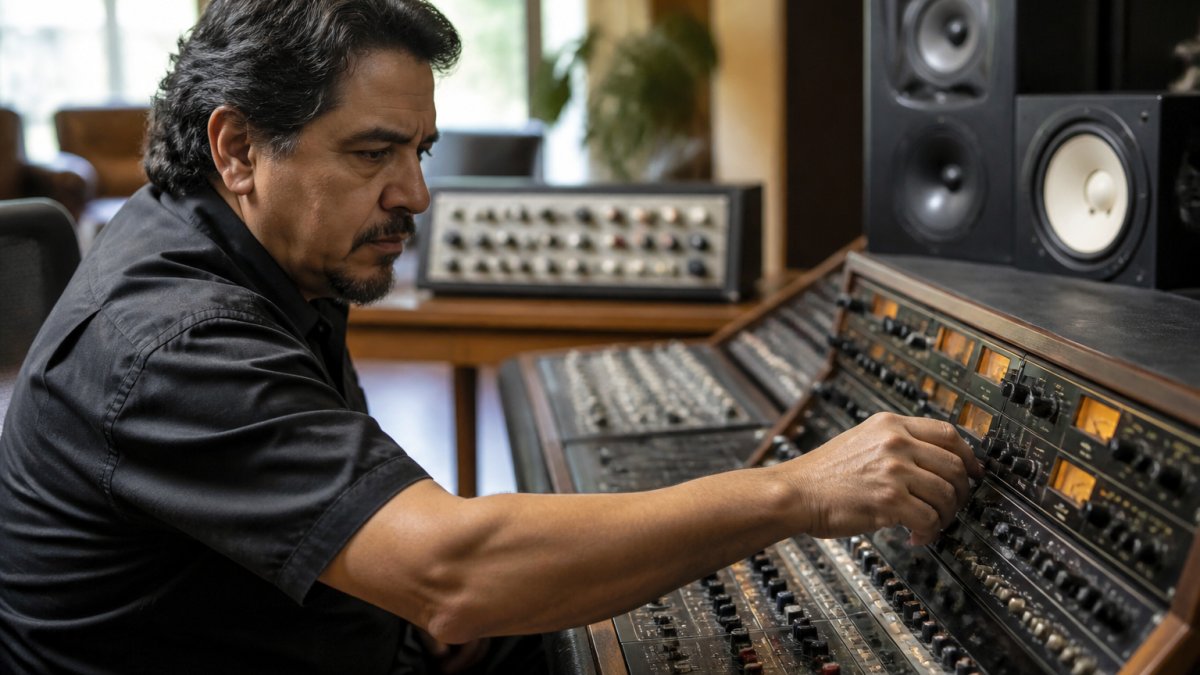
Before you export anything, run through a simple checklist. This ensures your mix is ready for professional mastering.
Check Your Frequency Balance and Stereo Image
Your frequency balance is critical. A mix that sounds muddy in the low end or thin in the mids will be difficult to master.
Pay special attention to these areas:
- Low end below 100 Hz (watch for mud or rumble)
- Midrange between 1 kHz and 4 kHz (clarity and presence)
- High end above 8 kHz (brightness and air)
Stereo image matters too. Keep vocals and drums centered, balance side elements like synths and guitars left and right, and avoid extreme pans that collapse on mono playback.
Verify Mix Translation Across Playback Systems
Mix translation is how your mix sounds on different speakers and headphones. Poor translation means it sounds great in your room but falls apart everywhere else.
Test on at least three systems, studio monitors, headphones, a small Bluetooth speaker, or car speakers, and listen for bass that's too loud or quiet, vocals that disappear or dominate, thin or boomy drums, and stereo elements that collapse to mono. Fix these before mastering; no engineer can fix a bad mix.
Remove Unnecessary Processing and Automation
Many producers go wrong here, adding too much processing and automation before mastering. The rule: remove anything you're unsure about.
Check your master bus: remove any limiter, think hard about compression, and leave only metering tools. Automation is the same, keep automation that adds movement or helps a vocal sit, but remove anything just trying to fix a problem.
How Much Headroom to Leave for Mastering
Headroom is the space between your loudest peak and the maximum level your system can handle, essential for professional mastering. Your mix should peak around -6 dB on the master bus, giving the engineer room to add compression, EQ, and limiting without hitting the ceiling. If your mix is already at -0.1 dB, they can only make it quieter, which defeats the purpose of mastering.
Understanding Peak Levels and True Peak Measurement
Peak level is the loudest single sample in your mix, not the same as loudness. Watch your DAW's peak meter and aim for -6 dB or lower.
True peak measures peaks between samples that standard meters miss. It matters less for streaming platforms like Spotify and Apple Music, but more for vinyl mastering, which has physical limitations digital doesn't.
Avoiding Clipping and Unwanted Limiting
Clipping happens when your signal goes above 0 dB and gets cut off, it sounds harsh and digital, so avoid it completely. A master-bus limiter prevents clipping but also prevents the mastering engineer from working; they need clean audio, not pre-limited audio. Keep your mix below -6 dB for plenty of headroom: no clipping, no limiting, just clean audio ready for mastering.
Best Export Settings for Mastering
Export settings aren't one-size-fits-all. The right settings depend on what the mastering engineer asks for, how the track will be released, and whether you're sending a stereo mix or alternate versions. The goal: deliver a file that preserves every mix decision without adding new ones.
Confirm the Engineer's Delivery Specs First
Before exporting, ask the mastering engineer for their delivery specifications, most studios publish a submission page or spec sheet. Confirm in writing: file format (usually WAV, occasionally AIFF), bit depth (24-bit standard; some accept 32-bit float), sample rate (match your session unless told otherwise), stereo interleaving, dithering preference, normalized vs. mixed-level files, naming convention and folder structure, and upload method.
File Format, Bit Depth, and Sample Rate
Export as WAV for mastering, uncompressed, lossless, and universally compatible. AIFF is acceptable if the engineer requests it; both are uncompressed PCM formats.
Use 24-bit depth for more resolution than 16-bit and because most professional studios expect it.
Match your session sample rate: 44.1 kHz stays 44.1 kHz, 48 kHz stays 48 kHz.
Dithering, Normalization, and Level
Turn off normalization and export at the level you mixed at, normalizing changes peak level and can undo the headroom you left for mastering.
Dithering is usually the mastering engineer's job when reducing bit depth for final delivery.
Don't apply a master-bus limiter, clipper, or loudness maximizer before export unless the engineer explicitly asks for a processed reference.
Labeling and Organizing Your Files for Delivery
Clear labeling prevents version mistakes and saves the mastering engineer time. Use a consistent convention like "Artist Name - Song Title - Mix Version.wav" (e.g., Electronic Dreams - Midnight Hour - Mix 01.wav).
If you send multiple versions, number them and describe the difference in a notes file, Mix 01 (original), Mix 02 (more low-end weight), Mix 03 (vocal up 1 dB).
Alternate Versions, Instrumentals, and Stems
If the release needs an instrumental, clean version, or TV mix, export those as separate, clearly labeled files, don't assume the engineer will create them unless you've agreed on that scope.
For stems, confirm the engineer's preferred stem count and naming first. A common electronic-music set is drums, bass, synths, vocals, and effects, but the right set depends on the arrangement and workflow.
When to Send Stems for Mastering vs. a Stereo Mix
Should you send a stereo mix or individual stems?
Stems are useful if you want more control or aren't happy with your mix balance, since they let the engineer adjust individual elements, but they cost more and take longer.
For electronic music, preparing electronic music mastering with a stereo mix is usually the best choice.
Communicating Your Vision and Technical Details
Tell the mastering engineer what you want, specifically. Don't just say "make it louder", say "I want this to compete with tracks like [reference track]." Share reference tracks that sound like your goal; they give the engineer a target to work toward.
Include a brief note with your mix: genre, mood or vibe, any elements to emphasize, target loudness (Spotify standard is around -14 LUFS (Loudness normalization on Spotify)), and whether it's for streaming, vinyl, or both.
Final Quality Control Before Delivery
Before you upload or ship a mix, run a preflight check, the step most producers skip, and where small problems become expensive mastering revisions. Ten minutes catches the issues that are costly to fix after delivery.
Listen From Start to Finish Without Stopping
Play the exported file, not the session, from beginning to end. Don't stop to fix anything on the first pass, just listen and note timestamps.
Listen on at least two systems: studio monitors and headphones. If the mix is for club play, check it on a system with strong low-end reproduction too.
Check Start and End Tails
Electronic tracks often begin with a fade-in, filter sweep, or clean downbeat. Confirm the export includes the full intended start and doesn't clip the first transient.
Leave a few milliseconds of silence at the start and end so the mastering engineer has room to apply fades without cutting into audio.
Check Fades and Clicks
If your mix ends with a fade, confirm it's smooth and reaches true silence. If it ends on a hard downbeat, confirm there's no click at the edit point. Zoom in on the waveform at the start and end and look for abrupt sample-level jumps, a short fade of a few milliseconds can remove clicks without changing the musical result.
Verify Mono Compatibility
Sum your mix to mono and listen. Electronic music often relies on wide stereo synths, ping-pong delays, and hard-panned elements, some of which collapse or phase-cancel in mono. Check that kick, bass, and lead elements remain present and balanced when summed. If a critical element disappears in mono, fix it in the mix before delivery rather than asking the mastering engineer to solve it.
Confirm File Integrity and Specs
Open the exported file in a fresh audio editor or empty DAW session. Confirm the format is WAV or what the engineer requested, bit depth is 24-bit unless otherwise specified, sample rate matches the session and the engineer's specs, channels are interleaved stereo, the file plays without errors or corruption warnings, and the peak level matches what you saw in the session.
Match the Engineer's Submission Instructions
Studios have different delivery workflows, secure upload portals, drive deliveries, specific folder structures. Follow the engineer's instructions exactly, and ask before uploading if anything is unclear. Include your notes file, reference tracks, and version labels in the same delivery so the engineer has everything in one place.
When your files pass these checks, you are ready to send. If you want a second set of ears before delivery, consider our professional mixing and mastering services.
Frequently Asked Questions
What should I do before sending a track to a mastering engineer?
Before sending your track, prepare your electronic music by checking frequency balance and stereo image on multiple playback systems, ensuring your mix translates well. Remove any unnecessary plugins or automation that might interfere with the mastering process. Verify your peak levels leave adequate headroom (typically -6dB to -3dB), export in the correct format (WAV at 24-bit and your original sample rate), and include detailed mix notes describing your vision, any reference tracks you used, and the intended loudness target for streaming or physical formats.
How much headroom should I leave for mastering?
Leave around -6dB of headroom on your master bus. This provides the mastering engineer enough dynamic range to work with your mix without introducing clipping or distortion. Check your true peak levels, not just the standard peak meter, as true peak measurement accounts for inter-sample peaks that can occur during format conversion. Avoid using any limiting on your master bus before sending to mastering, as this restricts the engineer's ability to shape the dynamic range effectively.
Should I send stems or a stereo mix for professional mastering?
For most electronic music mastering, a stereo mix is the standard and preferred format. Stems (individual tracks or submixes) are useful if you want the mastering engineer to adjust the balance between elements, fix specific issues, or create alternate versions for different platforms. Discuss your needs with your mastering engineer beforehand. If sending stems, organize them clearly, label them accurately, and include a stereo reference mix. A professional mastering engineer can work with either format, but confirm the preferred delivery method and file organization before you export.
What file format should I send for professional mastering?
Export your mix as a WAV file at 24-bit depth and your original session sample rate (typically 44.1 kHz for streaming or 48 kHz for video). Avoid MP3 or compressed formats, as these introduce quality loss that mastering cannot recover. Include mix notes with your file, clearly label the track (for example, 'TrackName_Stereo_Master_v1.wav'), and organize all files in a single folder. If your mastering engineer requests specific naming conventions or folder structures, follow those instructions exactly to avoid confusion during the mastering process.