
TL;DR:
- Effective mastering relies on accurate metering, monitoring, and disciplined use of essential tools.
- Software and hardware choices matter less than monitoring accuracy and proper referencing.
- AI mastering is useful for quick previews but cannot replace nuanced human judgment.
Choosing the right mastering gear can feel overwhelming, especially when both software and hardware offer legitimate paths to professional results. Whether you're an independent artist finishing your first EP or a producer preparing a full album for streaming and vinyl, the tools you choose shape every decision in the mastering chain. This guide walks you through the core criteria for evaluating gear, the top software and hardware options available today, the real role of AI mastering tools, and how to build a workflow that consistently delivers polished, release-ready audio.
Table of Contents
- How to evaluate mastering gear essentials
- Top software essentials for mastering
- Hardware and studio essentials: Monitoring, acoustics, and analog
- AI mastering solutions: Fast workflow or just hype?
- Expert perspective: What really matters in audio mastering
- Take your mastering to the next level with LB-Mastering
- Frequently asked questions
Key Takeaways
| Point | Details |
|---|---|
| Define your needs | Clarify what your mastering workflow requires before investing in gear or software. |
| Prioritize monitoring | Accurate monitoring and calibration are more important than expensive gear. |
| Top-rated software | iZotope Ozone, FabFilter Pro Bundle, and Steinberg WaveLab consistently score highest for mastering. |
| Hardware is optional | Analog gear adds flavor, but disciplined digital mastering can achieve professional quality. |
| AI for speed, not nuance | AI mastering services are fast and easy but lack subtlety for complex tracks. |
How to evaluate mastering gear essentials
Before spending a dollar on plugins or hardware, you need a clear framework for what mastering gear actually needs to do. The goal of mastering is to prepare your mix for distribution, making it translate well across speakers, headphones, car stereos, and streaming platforms. That requires a specific set of tools working together.
Here are the core essentials every mastering setup needs:
- Metering: LUFS (Loudness Units relative to Full Scale) meters, true peak meters, and spectrum analyzers give you objective data about your audio. Without them, you're guessing.
- Limiter: A transparent limiter controls peaks and achieves competitive loudness without distortion.
- Parametric EQ: Precise frequency shaping to correct tonal imbalances and add clarity.
- Compressor: Glues dynamics and adds cohesion, typically used at gentle ratios like 1.5:1 or 2:1.
- Monitoring: Accurate, neutral playback is non-negotiable.
Accurate monitoring is arguably the most critical element in any mastering setup. Room calibration is more important than acoustic treatment alone, and referencing your work on multiple playback systems, from studio monitors to earbuds, is essential for making informed decisions.
Many engineers overlook the value of stock DAW plugins. Tools like Logic Pro's built-in EQ and limiter are capable of professional results when used with discipline. The philosophy here is minimal processing: small EQ moves of 1 to 2 dB, gentle compression, and careful limiting will almost always outperform heavy-handed processing.
For a deeper look at how these principles apply in practice, the mastering sound quality guide covers step-by-step workflows that reinforce these fundamentals.
Pro Tip: Before buying any new plugin, spend two weeks working exclusively with what you already have. You'll quickly identify which gaps are real and which are just gear envy.
Top software essentials for mastering
Once you've defined your criteria, it's time to see which software options check those boxes. The mastering software market has matured significantly, and a handful of tools consistently rise to the top.
Metering is where every mastering session should begin. A reliable LUFS meter, true peak display, and real-time spectrum analyzer keep your decisions grounded in data rather than feel. Standalone options like iZotope Insight or HOFA's free LUFS meter are widely trusted.
For limiting, two names dominate professional workflows:
- FabFilter Pro-L2: Known for its transparency and precise loudness control. Multiple limiting algorithms let you tailor the sound to the genre.
- iZotope Ozone Maximizer: Excellent for achieving competitive streaming loudness while preserving transient detail.
For EQ, FabFilter Pro-Q3 remains the industry benchmark. Its dynamic EQ mode, mid-side processing, and surgical precision make it a go-to for mastering engineers at every level.
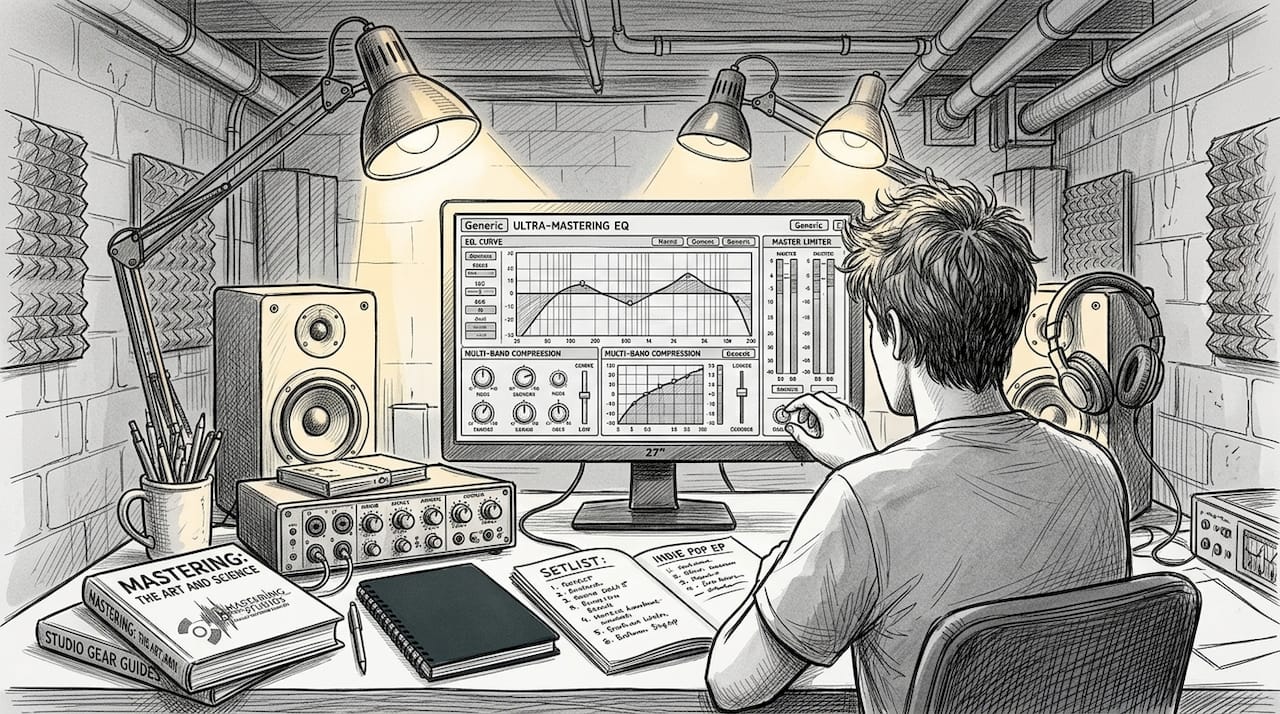
When it comes to compression, keep ratios low and attack times slow to preserve the natural feel of the mix. Plugins like the Waves SSL G-Master Buss Compressor or UAD's Neve 33609 emulation add subtle glue without squashing dynamics.
Here's how the top mastering suites stack up:
| Software | Rating | Key strength |
|---|---|---|
| iZotope Ozone | 9.7/10 | All-in-one suite, AI assistance |
| Steinberg WaveLab | 9.3/10 | Professional DDP and CD mastering |
| FabFilter Pro Bundle | 9.2/10 | Best-in-class EQ and limiting |
Saturation is optional but valuable. A subtle touch of harmonic saturation, from tools like Softube Harmonics or Waves Abbey Road Saturator, adds warmth without muddying the low end.
For a closer look at how these tools fit into a real signal chain, explore these mastering equipment examples that break down gear choices by format and genre. You can also download our mastering checklist to make sure your software workflow covers every step before export.
Pro Tip: Use your EQ in mid-side mode to address stereo width issues separately from mono content. It's one of the most powerful techniques in software mastering and often overlooked by beginners.
Hardware and studio essentials: Monitoring, acoustics, and analog
With software picks addressed, let's look at the hardware and physical studio details that separate good from great masters. Software alone won't save you if your monitoring environment is inaccurate.
Pro mastering rooms prioritize acoustics, neutral monitors, and calibration tools above almost everything else. Here's what that looks like in practice:
- Room calibration software: Tools like Genelec's GLM or Sonarworks SoundID Reference correct your monitor's frequency response for your specific room, giving you a flatter, more reliable listening environment.
- Acoustic treatment: Bass traps from brands like GIK Acoustics address low-frequency buildup in corners. Diffusors on the rear wall reduce flutter echo without making the room feel dead.
- Neutral monitors: Speakers like Duntech, Genelec, and Focal Solo6 are favored in mastering studios for their honest, uncolored reproduction.
Analog gear is where things get interesting. A hardware EQ or compressor in your signal chain can add a character that software emulations approximate but rarely fully replicate. That said, the benefits of analog are often overstated for home studio users.
| Setup type | Strengths | Limitations |
|---|---|---|
| DIY in-the-box | Affordable, flexible, no latency issues | Depends heavily on room accuracy |
| Hybrid analog-digital | Warmth, character, professional feel | Higher cost, maintenance required |
| Full analog chain | Maximum character and depth | Expensive, complex signal routing |
"The room you work in shapes every decision you make. No plugin can fix what your ears are hearing wrong."
If you're curious about the analog and digital equipment used in professional mastering, or want to understand what goes into vinyl mastering, those resources break down the real-world gear behind release-quality masters. You can also take a closer look at how a professional facility is set up with an analog mastering studio tour.
AI mastering solutions: Fast workflow or just hype?
Even as analog and digital methods continue to evolve, AI tools promise to change how indie musicians approach mastering. The question is whether that promise holds up under scrutiny.
AI mastering platforms like LANDR and the Ozone AI assistant analyze your audio and apply automated processing based on machine learning models trained on thousands of professional masters. The process takes minutes rather than hours.
Here's when AI mastering makes sense and when it doesn't:
- For demos and rough references: AI tools are fast and inexpensive. If you need a quick, polished version of a track for pitching or sharing, LANDR or Ozone's AI module can do the job.
- For beginner projects: When you're still learning to mix, AI mastering gives you a target to aim for and helps you understand what a balanced master sounds like.
- For complex or nuanced projects: This is where AI falls short. AI tools like LANDR lack the nuance needed for complex masters, even though they accelerate workflow for simpler tasks.
- For vinyl or CD releases: Automated tools are not designed for format-specific mastering requirements. Vinyl needs specific EQ curves and dynamic headroom that AI platforms don't consistently deliver.
- For label submissions or sync licensing: Human mastering engineers understand context. They know when to push loudness and when to preserve dynamics based on the project's destination.
"AI mastering is a useful starting point, not a finishing line. The more your project matters, the more it deserves a human ear."
If you want to get the most from an automated service, start with a well-balanced mix and follow an audio mastering checklist before uploading. Also, understanding analog gear warmth helps you recognize what AI processing typically cannot replicate.
Pro Tip: If you use an AI master as a reference, compare it to your own processed version at matched loudness. This reveals exactly where the AI made different choices and why.
Expert perspective: What really matters in audio mastering
After reviewing every major tool and approach, here's the honest truth: the gear matters far less than most musicians think. We've heard exceptional masters produced on modest setups and poor masters produced on expensive analog chains. The difference was never the equipment.
What actually separates professional results from amateur ones is discipline and accurate monitoring. Engineers who make small, intentional moves and reference constantly on multiple systems consistently outperform those chasing the perfect plugin or the most expensive hardware.
The most common mistake we see is over-processing. Musicians who are uncertain about their monitoring environment tend to compensate by adding more EQ, more compression, more limiting. The result is a master that sounds impressive on one system and falls apart on everything else.
Your ears, trained over time and supported by honest monitoring, are your most valuable asset. Explore mastering gear examples to understand how professionals make gear choices, but always remember that the engineer behind the gear is what makes the difference.
Take your mastering to the next level with LB-Mastering
If you're ready to put these essentials to work or need expert guidance for your next project, LB-Mastering Studios is here to help. With over 44 years of experience and Grammy-winning credentials, we bring both analog warmth and digital precision to every master.
Explore our gear selection to see the hybrid analog-digital signal chain we use to achieve exceptional sonic results. Download our mastering checklist PDF to streamline your pre-mastering workflow and catch common errors before they reach us. And if you're preparing music for vinyl, our vinyl mastering guide covers everything you need to know about format-specific requirements. We offer free sample masters so you can hear the difference before committing.
Frequently asked questions
What are the most important mastering gear essentials?
Room calibration and neutral monitors are prioritized in professional mastering studios, alongside metering, a transparent limiter, parametric EQ, and a compressor for dynamic control.
Is hardware mastering gear still necessary in 2026?
Hardware adds character and depth, but it is not mandatory. Disciplined in-the-box workflows with accurate monitoring can achieve fully professional results without a single piece of outboard gear.
How effective are AI mastering solutions?
AI tools like LANDR are useful for quick demos and beginner projects, but they lack nuance for complex or format-specific masters that require a trained human ear.
How do I optimize my studio for mastering?
Start with calibration software like SoundID Reference, invest in neutral monitors, then add acoustic treatment. Always reference multiple systems to verify your decisions translate across playback environments.