
TL;DR:
- CD mastering ensures your audio meets Red Book standards for universal playback compatibility.
- The process involves EQ, compression, limiting, and meticulous sequencing for optimal sound quality.
- Human expertise remains essential to achieve nuanced, emotionally connected CD releases over automated methods.
Your mix sounds great in the studio, but that does not mean it is ready for commercial release. Many independent artists submit their finished mixes directly for CD production, only to discover the result sounds flat, inconsistent, or distorted on different playback systems. Mastering is the critical final stage that transforms your mix into a polished, commercially viable product. It shapes loudness, tonal balance, and dynamic consistency across every track on your album. In this guide, we walk you through each step of the CD mastering process, explain the technical standards you must meet, and share practical tips to help you avoid the most common pitfalls.
Table of Contents
- Understanding CD mastering standards and requirements
- Core steps in the CD mastering process
- Deliverables and files needed for CD replication
- Mastering for loudness and dynamic range: industry benchmarks
- From master to manufacturing: glass mastering and replication
- Perspective: Why human mastery matters in CD mastering today
- Take your music further with expert CD mastering
- Frequently asked questions
Key Takeaways
| Point | Details |
|---|---|
| Red Book compliance | Always master your CD audio to Red Book standards for dependable playback and distribution. |
| Focused mastering steps | Great CD masters require careful EQ, compression, limiting, and track sequencing for professional results. |
| Optimal file delivery | Export your master as a DDP 2.0 image with metadata to avoid manufacturing errors. |
| Loudness and dynamics | Balance loudness with dynamic range, aiming for -9 to -13 LUFS and true peak around -0.1 dBTP. |
| Human touch matters | Human engineers offer genre and emotion-aware decisions that automated mastering can't match. |
Understanding CD mastering standards and requirements
Before you touch a single plugin, you need to understand the technical framework your master must fit into. Every commercial CD must conform to the Red Book standard: 44.1 kHz sample rate, 16-bit PCM audio, stereo format, and CIRC error correction for universal playback compatibility. This standard was established by Philips and Sony in 1980, and it remains the foundation of every CD pressed today.
Why does this matter so much? Because CD players worldwide are built to read exactly this format. Deviate from it, and you risk playback errors, compatibility failures, or outright rejection from replication plants. Our CD mastering service standards are built around Red Book compliance from the very first step.
It helps to understand how CD audio compares to higher-resolution formats. Here is a quick breakdown:
| Format | Sample rate | Bit depth | File size | Best use case |
|---|---|---|---|---|
| Red Book CD | 44.1 kHz | 16-bit | Moderate | Physical CD release |
| High-res audio | 88.2 to 192 kHz | 24 to 32-bit | Large | Archival, streaming |
| MP3/AAC | Varies | Lossy | Small | Casual streaming |
For independent releases, CD audio offers the best balance of quality and compatibility. High-res formats sound excellent, but they require downsampling before pressing, which introduces its own risks if not handled carefully.
What happens when you ignore Red Book specs?
- Playback errors on standard CD players
- Rejection by replication facilities
- Skipping or silence during playback
- Missing metadata like track titles and ISRC codes
- Inconsistent volume across tracks
Pro Tip: Always master to Red Book specs even if you plan to release digitally as well. It gives you a reliable, universally compatible reference that works across every playback system.
Core steps in the CD mastering process
Once you understand the standards, it is crucial to master the sequence of tasks that shape a great-sounding CD. The mastering process involves EQ for tonal balance, compression for dynamics control, limiting for loudness, and targeted fixes for clicks, pops, and noise. For albums, track consistency, order, spacing, and fades are equally important.
Here is how a professional mastering session typically unfolds:
- Mix assessment: Review the stereo mix for technical issues, clipping, phase problems, and frequency imbalances before applying any processing.
- EQ (equalization): Adjust the tonal balance so the track translates well on speakers, headphones, car stereos, and earbuds.
- Compression: Control the dynamic range so quieter passages and louder sections feel cohesive and intentional.
- Limiting: Apply a transparent limiter to maximize loudness without introducing distortion or clipping.
- Noise and artifact removal: Fix clicks, pops, hum, and any unwanted sounds that survived the mix stage.
- Track sequencing: Arrange songs in the intended album order, setting the emotional arc for the listener.
- Spacing and fades: Define the gaps between tracks and apply fades where needed for a seamless listening experience.
- Quality control: Critically listen to the entire master from start to finish before export.
Our detailed professional mastering steps guide walks through each stage with even more technical depth. You can also use our mastering checklist to make sure nothing gets missed.
"Mastering is not just about loudness. It is the final quality check that determines how your music will be experienced everywhere, by everyone. Every decision at this stage carries real weight."
Pro Tip: Use two or three reference tracks from commercially released albums in your genre while mastering. They keep your ears calibrated and help you avoid over-processing.
Deliverables and files needed for CD replication
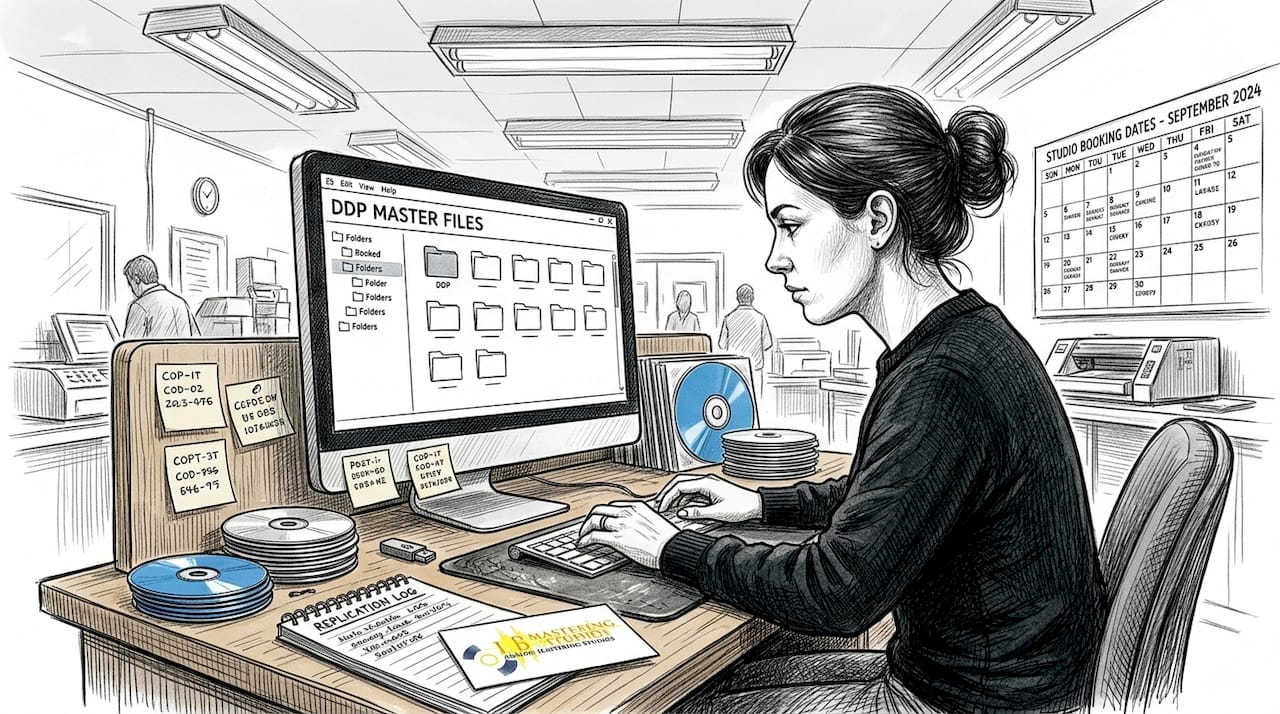
With your mastering process complete, it is crucial to ensure your work reaches the pressing plant in the most reliable format. The industry standard for CD replication is the DDP 2.0 image: a single file package at 44.1 kHz, 16-bit, with embedded UPC codes, ISRC codes, and CD-Text. Alternatives include high-quality CD-R or WAV files, but each comes with trade-offs.
| Format | Pros | Cons | When to use |
|---|---|---|---|
| DDP 2.0 | Error-free, metadata embedded, preferred by plants | Requires software to create | Always preferred for replication |
| CD-R | Simple, widely understood | Risk of read errors, fragile | Small runs, demos only |
| WAV files | Universal format, easy to share | No embedded metadata | Backup or digital release |
For a deeper look at why DDP is the gold standard, read our guide on DDP for CD mastering and our DDP mastering guide for a complete walkthrough.
Beyond the audio file itself, replication plants typically require:
- Full tracklist with correct song titles and track order
- Time logs showing the start time and duration of each track
- ISRC codes for each individual track
- UPC/EAN barcode for the album
- CD-Text data including artist name and album title
DIY artists often overlook metadata entirely. Missing ISRC codes means your tracks cannot be tracked for royalties, which is a costly oversight for any independent release.
Pro Tip: Before submitting your master, test playback on at least three different systems: a home stereo, a car stereo, and headphones. Catching problems early saves you from expensive reprints.
Mastering for loudness and dynamic range: industry benchmarks
Equipped with the right deliverables, let's address loudness and dynamic range, the factors that make your music impactful without sacrificing quality. Unlike streaming platforms, CDs have no automatic loudness normalization. That means you have more control, but also more responsibility.
For CD releases, the target loudness range is typically -9 to -13 LUFS, compared to the -14 LUFS target used by most streaming platforms. This gives your CD master a competitive edge in perceived volume without the normalization penalty that streaming applies. True peak should be set to approximately -0.1 dBTP to prevent intersample distortion during playback.
The CD format also offers a theoretical dynamic range of 96 dB, which is more than enough headroom for virtually any genre. The problem is that the loudness wars of the 1990s and 2000s pushed engineers to crush dynamic range in pursuit of sheer volume, resulting in listener fatigue and a loss of musical impact.
Here are practical tips for achieving the right balance:
- Set your limiter ceiling at -0.1 dBTP before exporting
- Check your integrated LUFS using a metering plugin like iZotope Insight or Youlean Loudness Meter
- Preserve transients in drums and percussion to maintain energy
- Compare your master to a commercially released reference at matched loudness
- Avoid brickwall limiting that flattens every dynamic peak in the song
The goal is a master that sounds loud, clear, and emotionally engaging. Volume alone does not achieve that.
From master to manufacturing: glass mastering and replication
After optimizing your audio, your master enters the physical realm. Here is how your digital files get turned into thousands of professional CDs. The glass mastering process begins with a clean glass substrate coated in photoresist material. A laser beam recorder etches the audio data as microscopic pits and lands at controlled speeds in a cleanroom environment. The glass disc is then metalized and electroformed into stampers used for mass replication.
Here is the full manufacturing sequence:
- Master file submission: The replication plant receives your DDP image and verifies it against your tracklist and metadata.
- Glass mastering: A laser beam recorder etches your audio onto a photoresist-coated glass disc in a cleanroom.
- Metalization: A thin metal layer is applied to the glass disc to make it conductive.
- Electroforming: Metal stampers are created from the glass master. These are the molds used to press every CD in the run.
- Injection molding: Polycarbonate plastic is injected into the stamper molds to form the disc substrate.
- Lacquering and printing: A reflective aluminum layer and protective lacquer are applied, followed by label printing.
- Quality inspection: Finished discs are tested for error rates and playback accuracy before packaging.
For mastering for CD replication, every technical decision you made during the audio mastering stage now has a direct physical consequence. An error in your DDP file does not just sound bad. It can corrupt an entire production run.
"The precision required in glass mastering leaves zero room for error. A perfectly prepared audio master is not optional. It is the foundation everything else is built on."
Perspective: Why human mastery matters in CD mastering today
Automated mastering tools have made it easier than ever to get a quick result, but quick is not the same as right. After 44 years of working with artists across every genre, we have seen what happens when artists rely solely on algorithmic solutions for a format as unforgiving as CD.
AI mastering tools process audio based on statistical patterns. They do not know that your jazz ballad needs breathing room, or that your metal record should hit hard without losing the kick drum's punch. A seasoned engineer listens with intent, adjusting decisions based on the emotional arc of your album, not just spectral data.
We have seen artists submit AI-mastered files for CD replication only to discover the limiting was too aggressive, the sequencing felt abrupt, and the low end muddied on home stereo systems. These are not software bugs. They are judgment calls that require human ears. Human mastering is preferred over AI for nuanced genre and emotional decisions, especially for physical formats like CD.
Our advice: treat your mastering engineer as a collaborator, not just a service provider. Ask questions, request feedback, and use the process as a learning opportunity. The relationship pays dividends on every future project. Explore our human mastering services to see how we approach each project with that mindset.
Take your music further with expert CD mastering
If this guide has shown you anything, it is that CD mastering is a precise, multi-stage process that demands both technical accuracy and musical judgment. Getting it right means your music sounds exactly the way you intended, on every system, every time.
At LB-Mastering Studios, we bring over 44 years of Grammy-winning experience to every project, whether you are pressing your first indie release or delivering a full-length album for a major label. Our CD mastering services are built around your goals, your genre, and your timeline. Download our free audio mastering checklist to prepare your files before submission, and explore our mastering equipment to see the analog and digital tools we use to achieve exceptional sonic results. Let us help you take your music to the next level.
Frequently asked questions
What file format should I deliver for CD manufacturing?
A DDP 2.0 image at 44.1 kHz, 16-bit is the preferred format for CD manufacturing because it embeds all metadata in a single error-resistant package. High-quality WAV files or CD-R are acceptable alternatives for smaller runs.
What is the Red Book standard for CDs?
The Red Book standard specifies 44.1 kHz sample rate, 16-bit PCM, stereo audio, and CIRC error correction to guarantee playback compatibility on all CD players worldwide.
How loud should a CD master be?
Aim for integrated loudness between -9 and -13 LUFS for CD releases, and set your true peak ceiling to -0.1 dBTP to maximize volume without introducing distortion.
Why is human mastering recommended over AI for CDs?
Human mastering delivers nuanced decisions based on genre, emotion, and album context that automated tools simply cannot replicate, making it the better choice for any serious commercial CD release.
What happens during glass mastering and CD replication?
A laser beam recorder etches your audio data onto a photoresist-coated glass disc, which is then metalized and electroformed into stampers used to press thousands of identical CDs.