
 how-to
Why Your Home Mix Sounds Muddy: Fixes That Work
Table of Contents
- What a Muddy Mix Actually Sounds Like
- Common Causes of Muddiness in Home Mixes
- Muddy Mix EQ Frequencies: What to Cut and Why
- How Frequency Masking in Mixing Creates Low-Mid Buildup
- How to Clean Up Muddy Bass in a Mix
- Home Studio Room Acoustics for Mixing: Why Your Room Lies to You
- A Repeatable Diagnostic Workflow Before You Touch EQ
- Conclusion
- Frequently Asked Questions
Last Updated: October 12, 2026
What a Muddy Mix Actually Sounds Like
A muddy mix is a mix where low-frequency energy piles up and smears the low-midrange, so vocals, guitars, and drums lose their definition and the whole track sounds thick, dull, and distant, and it is the most common reason why your home mix sounds muddy.
If you have ever asked why your home mix sounds muddy, the answer usually hides in the 150-400 Hz range. That is where bass guitar, kick drum, rhythm guitars, piano, and the lower half of every vocal all compete for the same space.
The result: a crowded low end that swallows clarity.
Below, we break down the real causes and give you a diagnostic workflow you can run before you touch a single EQ band.
Common Causes of Muddiness in Home Mixes
Muddiness comes from three places: arrangement, balance, and your monitoring setup. Most producers blame their plugins. The problem usually starts earlier.
Arrangement and Instrument Overlap
Too many instruments playing in the same octave will crowd the low mids no matter how well you EQ. If your bass, kick, and two rhythm guitars all live between 100 and 300 Hz, you have built a traffic jam.
A common mistake is adding layers to make a part sound bigger. Each layer eats space another instrument needs. Thinning the arrangement often clears more mud than any EQ move.
- Ask which part carries the low end in each section
- Mute one layer and listen for what opens up
- Let instruments occupy different registers
Bass and Kick Drum Balance
The kick and bass relationship decides whether your low end feels tight or bloated. When both hit at the same time in the same range, they mask each other and the mix turns to mush.
Try these fixes:
- Sidechain the bass to duck slightly under each kick hit
- Give the kick the sub range and the bass the low-mid warmth
- Check the level balance before reaching for EQ
Muddy Mix EQ Frequencies: What to Cut and Why
The main muddy mix EQ frequencies sit between 150 Hz and 400 Hz. A narrow cut in that range often restores clarity faster than any boost elsewhere.
Start with a gentle dip of a few decibels around 200-300 Hz on the instruments that crowd that zone. Sweep to find the ugliest spot, then cut just enough to hear the cloud lift.
| Problem Area | Frequency Range | Typical Fix | Watch Out For |
|---|---|---|---|
| Boxiness | 200-400 Hz | Narrow cut of 2-4 dB | Cutting too much thins the tone |
| Rumble | Below 80 Hz | High-pass filter | Removing needed sub weight |
| Boominess | 100-200 Hz | Broad gentle cut | Over-EQing the kick |
| Nasal honk | 800 Hz-1 kHz | Small dip | Dulling the vocal |
Do not cut everything at once. Make one move, listen, then decide.
How Frequency Masking in Mixing Creates Low-Mid Buildup
Frequency masking in mixing happens when a loud sound hides a quieter one in the same frequency range. Your ears cannot separate two sources that overlap, so the quieter one disappears.
In the low mids, this builds up fast. Kick, bass, and low vocals all fight for the same band. The louder element wins, and the rest turn to fog.
Here is how to fight it:
- Carve a small notch in one instrument where another needs room
- Pan competing midrange parts apart for stereo space
- Use level balance before EQ to reduce the overlap
The goal is not to remove frequencies. It is to decide which instrument owns each range.
How to Clean Up Muddy Bass in a Mix
Learning how to clean up muddy bass in a mix starts with a high-pass filter on everything that does not need low end. Guitars, vocals, and cymbals rarely need energy below 80-100 Hz.
Work in this order:
- High-pass every non-bass track to clear the sub range
- Solo the bass and find its muddiest note
- Cut that narrow band by a few decibels
- Check the kick and bass together for masking
- Compare against a reference track at matched volume
Bass problems often come from source recording. A boomy DI or a room-heavy amp capture will fight you forever. Fixing the source beats fixing it in the mixdown.
Home Studio Room Acoustics for Mixing: Why Your Room Lies to You
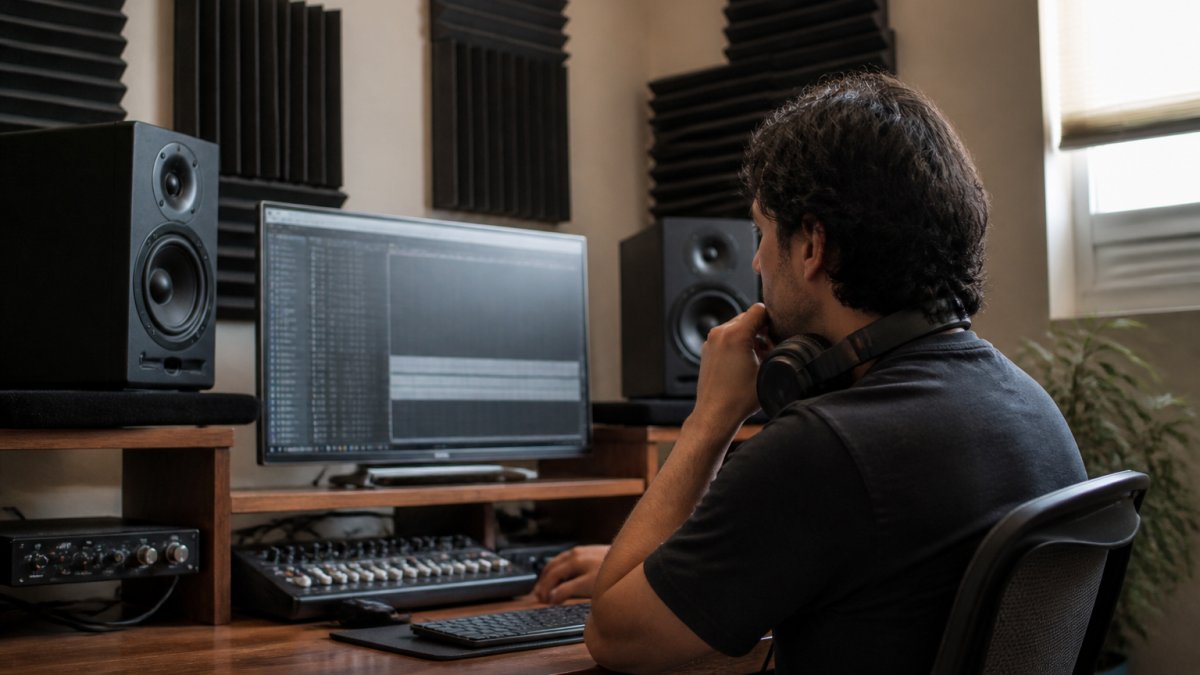
Home studio room acoustics for mixing decide whether you hear the truth or a flattering lie. Small untreated rooms boost and cancel certain low frequencies, so you mix to fix problems that are not really there.
Most home rooms under about 12 by 14 feet develop standing waves in the 80-300 Hz range, which is exactly where mud lives. A corner-loaded desk, a wall directly behind your head, and monitors placed too close to the front wall all exaggerate low-mid buildup. Before you buy a single panel, run this bias check:
- Play a reference track you know well at a comfortable level and walk the room. Note where the bass gets louder or disappears.
- Move your head 12 inches forward and back at the mix position. If the low end changes dramatically, you are sitting in a room mode, not hearing your mix.
- Switch to headphones and compare the same passage. If the mud vanishes on headphones but returns on speakers, the problem is the room, not the mix.
- Check a second pair of speakers or a car at matched volume. Consistent mud across systems points to the mix; room-only mud points to acoustics.
What actually helps, in order of impact:
- Bass trapping in the corners, thick, porous absorbers (4 inches or more of mineral wool or similar) in the vertical corners where low-frequency pressure builds up. Thin foam does almost nothing below 200 Hz.
- First reflection points beside and behind your monitors, absorb or diffuse so early reflections do not smear the stereo image and low mids.
- Monitor placement, keep speakers off the desk surface, away from the front wall by at least a foot if possible, and form an equilateral triangle with your head.
- A subwoofer check, if you run a sub, verify its crossover and level against a reference so you are not adding mud the mix does not have.
Headphones lie differently. Closed-back models often boost the low end, while open-back models can under-represent sub energy. Neither is wrong, but you need to know your pair's bias. A common pattern is to mix on headphones that flatter the bass, then discover the low end is bloated on speakers.
Mix translation matters more than a perfect room. If your mix holds up across playback systems, you are winning. But if every system reveals the same low-mid cloud, the problem is in the mix, and no amount of acoustic treatment will fix it. Use the bias check above to separate the two before you spend money on gear or hours on EQ.
A Repeatable Diagnostic Workflow Before You Touch EQ
Most producers reach for an EQ the moment a mix sounds muddy. That is backwards.
Step 2: Isolate the source category. Mute everything except the low-end instruments: kick, bass, and any low synth or low guitar. Listen. Then unmute groups one at a time.
- If the mud appears only when the full arrangement plays, the problem is arrangement or masking.
- If the mud is present in the soloed low-end instruments, the problem is balance or recording.
- If the mud is present on a single track even when soloed, the problem is source recording or sound selection.
- If the mud only appears after your processing chain, the problem is processing.
Step 3: Fix arrangement and balance first. Before any EQ, try these in order:
- Mute one layer at a time in the crowded low-mid range and listen for what opens up. If muting a rhythm guitar clears the mud, you do not need EQ, you need a thinner arrangement.
- Rebalance faders so the kick and bass sit at a level where neither masks the other. A 1-2 dB fader move often does more than a 4 dB EQ cut.
- Check the kick and bass relationship by soloing them together. If the kick sounds thin when the bass is muted, the bass is carrying too much low end. Rebalance instead of boosting.
Step 4: High-pass everything that does not need low end. Guitars, vocals, cymbals, and most synths rarely need energy below 80-100 Hz.
Step 5: Cut one problem band, then stop. Only now reach for EQ.
Step 6: Compare against a reference track at matched volume. Load a commercial track in a similar genre and match its perceived loudness to your mix.
Step 7: Rest and re-listen. Ear fatigue makes mud sound normal after 30 minutes. Take a break, then check the mix on a different system.
Conclusion
Getting a clean, professional low end is one of the hardest parts of mixing at home, and it is exactly where an experienced ear saves you time. When your own room keeps lying to you, a fresh perspective in a treated space makes the difference. At LB-Mastering Studios, our Latin GRAMMY Award-winning engineer brings 44+ years of experience and premium analog outboard gear to every project, with single song mastering, stem mastering, and vinyl mastering built for streaming and physical release. We offer a free sample master so you can hear the result before you commit.
Book a session with LB-Mastering Studios and let us turn your muddy mix into a release-ready record.
Frequently Asked Questions
Why do all my mixes sound muddy?
Muddiness usually comes from too much energy in the 200-500 Hz range. Common culprits include overlapping instruments in the low mids, a bass and kick drum fighting for the same space, untreated room reflections that mask clarity, and reverb or delay tails that pile up. Before reaching for EQ, check your arrangement and listening environment. Often the fix is subtractive: remove what you do not need rather than boosting what you think is missing.
Which frequencies make a mix sound muddy?
The 200-500 Hz region is where muddiness lives. Buildup around 250-350 Hz is the most common offender, especially when multiple instruments share that range. Kick drum fundamentals sit near 50-80 Hz, bass guitar fundamentals around 40-100 Hz, and the low-mid harmonics of guitars, keys, and vocals stack up between 150-400 Hz. When several tracks overlap there without careful level balancing, the mix turns cloudy and undefined.
Can a poorly treated room make a mix sound muddy?
Yes. Untreated home studios suffer from standing waves and early reflections that boost or cancel certain frequencies. You might hear exaggerated low mids in one spot and thin bass two feet away. This makes it nearly impossible to judge whether your mix is actually muddy or whether the room is lying to you. Bass traps in corners and absorption panels at first reflection points help, but the most reliable fix is checking your mix on multiple playback systems before finalizing.
Should you use EQ or compression to fix a muddy mix?
EQ is the primary tool for cutting unwanted low-mid buildup. A high-pass filter on every track that does not need sub content clears space fast. Compression can help control dynamics but will not remove mud; in fact, heavy compression can make it worse by lifting quiet low-mid details. Start with subtractive EQ and high-pass filtering, then use compression only where a track needs consistent level control. If mud persists after EQ, the problem is likely arrangement or source recording.