
 comparison
Mixing vs Mastering: What Comes First in 2026
Table of Contents
- Mixing vs Mastering: What Comes First in Music Production
- Mixing vs Mastering: The Core Differences Explained
- Why Mixing Comes Before Mastering: The Production Workflow
- How to Prepare a Mix for Mastering
- Tools Used in Mixing vs Tools Used in Mastering
- Can You Mix and Master at the Same Time? The Hybrid Workflow
- Professional Mastering Services vs Free Online Mixing Tools
- Online Mixing Free Options: What They Can and Cannot Do
- Frequently Asked Questions
Last Updated: October 4, 2026
Mixing vs Mastering: What Comes First in Music Production
Mixing vs mastering what comes first is the question that stalls more independent releases than any other technical decision.
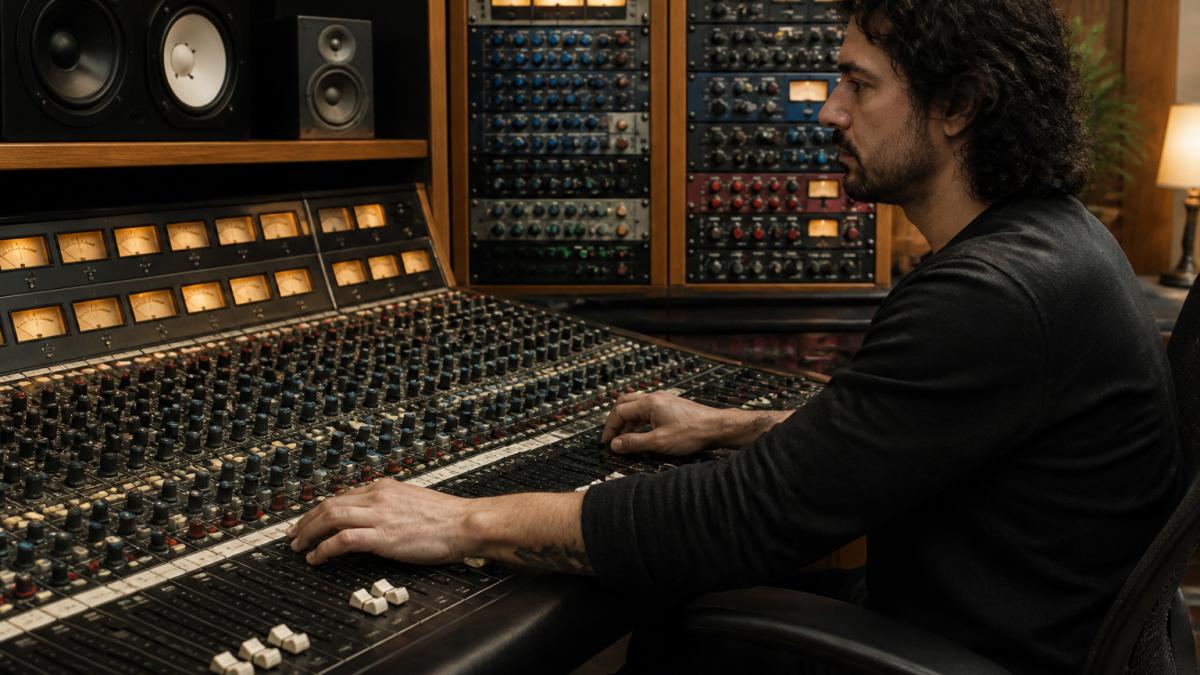
Here is the rule that clears up most of the confusion. Mixing shapes the song. Mastering shapes the record.
The two stages use different tools, different rooms, and different goals. Treating them as one job is the most common mistake we see from self-producing artists.
Mixing vs Mastering: The Core Differences Explained
Mixing vs mastering comes down to scope. Mixing balances every individual track in a song. Mastering processes the finished stereo mix as a single file for release. One works inside the song; the other works on the song as a whole.
What Is Mixing?
Mixing is the process of combining all recorded tracks into one balanced stereo mix. The engineer sets levels, pans instruments across the stereo field, applies equalization and compression, and automates changes across the timeline. The goal is a mix that translates on phones, car speakers, and studio monitors alike.
What Is Mastering?
Mastering is the final stage of audio production, where the completed stereo mix is refined for distribution across all playback systems. A mastering engineer adjusts frequency balance, controls dynamic range, sets final loudness, and prepares delivery files for streaming, CD, and vinyl.
| Stage | What It Works On | Primary Goal | Typical Tools |
|---|---|---|---|
| Mixing | Individual multitrack elements | Balance and blend | EQ, compression, panning, automation |
| Mastering | Finished stereo mix | Consistency and loudness | Limiting, EQ, loudness metering |
Why Mixing Comes Before Mastering: The Production Workflow
Order matters because mastering cannot fix a broken mix. If a vocal sits too far back or a bass masks the kick drum, no amount of limiting will resolve it. The mastering engineer works with what the mix delivers.
The standard workflow runs like this:
- Record and edit all tracks
- Mix the song to a stereo file
- Confirm the mix translates on multiple systems
- Master the approved mix
- Deliver distribution-ready files
Skipping step three is where most DIY releases fall apart. We recommend living with a mix for a day before approving it.
The Mechanism: Why Mastering Cannot Repair a Mix
A mastering engineer works on a single stereo file. Once the multitrack is bounced, the individual elements are locked together. That constraint explains the hard limit on what mastering can do.
- Masking is baked in. If two instruments occupy the same frequency range in the mix, the mastering EQ has to choose which one to boost or cut. It cannot separate them. A mix engineer solves masking with per-track EQ and sidechain compression; a mastering engineer can only nudge the stereo sum.
- Dynamic problems are locked. If a snare transient is buried under a dense guitar bus, a mastering limiter will squash the whole mix before it lifts the snare. A mix engineer fixes that with fader rides and bus compression.
- Translation is a mix decision. A mix that only sounds right on one playback system cannot be made to translate by mastering. The mastering engineer can check translation, but the balance decisions that cause the problem were made earlier.
This is why professional mastering engineers routinely reject mixes that need more than polish. A common pattern is to send the mix back with notes rather than process a file that cannot be saved.
The Hybrid Workflow: Where the Line Blurs
Most guides treat mixing and mastering as binary silos.
In a hybrid workflow, the mix engineer places a bus compressor, a gentle EQ, and sometimes a limiter on the stereo mix bus during mixing.
The trade-off is real.
When the mix is finished, the mastering engineer still works on the stereo file. The stages stay distinct even when the session is continuous.
The Role of the Mix Engineer vs the Mastering Engineer
The mix engineer owns balance, depth, and translation. They decide how loud the vocal sits, how wide the guitars feel, and how the low end interacts. They work inside the song, track by track.
The mastering engineer owns consistency, loudness, and delivery. They decide how the record sits next to other releases, how it translates across streaming, CD, and vinyl, and whether the final file meets the technical specs each platform requires.
A common pattern is for the same person to do both jobs on a small release.
How to Prepare a Mix for Mastering
Preparing a mix for mastering means handing over a clean, unclipped stereo file with headroom intact. The mastering engineer needs room to work.
A few habits make the handoff painless:
- Leave peak levels around -6 dB with no limiting on the mix bus
- Remove any master-bus compression you added for monitoring
- Label the file clearly with song title and version number
According to iZotope's guide to preparing mixes for mastering, leaving headroom preserves transient response and gives the mastering stage room to breathe.
Technical File Requirements: Headroom, Sample Rate, and Bit Depth
Technical file requirements decide how much the mastering engineer can actually do.
File format. Deliver an uncompressed WAV or AIFF.
Bit depth. Deliver 24-bit. Bit depth sets the dynamic range of the file.
Sample rate. Deliver at the session's native sample rate, typically 44.1 kHz or 48 kHz.
Headroom. Leave peak levels around -6 dB. This is not a suggestion.
No master-bus limiting. Remove any limiter you added for monitoring.
Delivery Targets and Stem Options
A professional mastering engineer delivers more than one file. The standard delivery set includes:
- A streaming master, typically targeted around -14 LUFS integrated for major platforms, with true peak ceiling at -1 dBTP
- A CD master, 16-bit at 44.1 kHz, with track spacing and ISRC codes embedded
- A vinyl master, with controlled low-end and a different dynamic approach, because vinyl cannot reproduce the same loudness or stereo width as digital
If your mix has problems that mastering cannot fix, some engineers offer stem mastering. Instead of a single stereo file, you deliver a small number of grouped stems, such as drums, bass, music, and vocals. Stem mastering gives the engineer more control than a stereo file but less than a full mix. It is a middle path, not a replacement for a good mix.
If a track is going to carry your name on a commercial release, the mastering stage is the wrong place to save money. At LB-Mastering Studios, we handle the full handoff, from file spec review to format-specific delivery, so the mix you approve is the record you release. We offer Single Song Mastering, Stem Mastering, Album Mastering, Vinyl Mastering, and Mixing services.
Tools Used in Mixing vs Tools Used in Mastering
Tools used in mixing and mastering overlap, but the intent differs. Mixing relies on a digital audio workstation with deep automation and plugin support. Avid's Pro Tools product page remains the standard DAW in commercial studios for multitrack mixing work.
Mastering leans on precision metering and limiting. iZotope Ozone product information is a common software choice, offering LUFS metering and stem-focused processing. Automated platforms such as LANDR's mastering service handle quick digital releases.
Analog outboard gear still earns its place. A specialized mastering facility with premium analog equipment adds harmonic saturation and depth that plugins approximate but rarely match.
Can You Mix and Master at the Same Time? The Hybrid Workflow
Mixing and mastering at the same time is possible, but only in a specific hybrid workflow. In a hybrid setup, the engineer mixes through analog outboard gear and captures the result in one pass, then masters the captured file separately. The stages stay distinct even when the session is continuous.
Professional Mastering Services vs Free Online Mixing Tools
Professional mastering services and free online tools solve different problems. Free tools handle volume and basic balance. A professional engineer handles translation, sonic consistency, and delivery specs.
Here is where the gap shows:
- Free tools cannot hear your genre or your references
- Automated processing applies the same curve to every track
- A human engineer catches phase issues and masking problems
The Budget vs DIY Reality
The budget vs DIY reality is simpler than most artists expect. Free and low-cost tools work for demos, rough mixes, and quick uploads. They fall short when a release needs to compete on streaming platforms and hold up on vinyl.
If a track is going to carry your name on a commercial release, the mastering stage is the wrong place to save money.
Online Mixing Free Options: What They Can and Cannot Do
Online mixing free options cover basic tasks well and advanced tasks poorly. A free online mixer can sum tracks, apply preset EQ, and export a file. It cannot judge whether your vocal sits correctly against a dense arrangement.
What free options do well:
- Quick balance for songwriting demos
- Basic loudness normalization for social clips
- Rough reference mixes for band feedback
What they cannot do:
- Resolve frequency masking between instruments
- Prepare vinyl-specific masters with controlled low-end
- Match loudness targets across an album
For a serious release, the finishing stage belongs with an engineer who has the room, the gear, and the ears to hear what the file needs.
Frequently Asked Questions
Which is harder, mixing or mastering?
Mixing is typically harder to learn because it involves hundreds of decisions: balancing every multitrack element, shaping the stereo field, and managing frequency balance across the whole song. Mastering is more technical and reference-driven, requiring critical listening on calibrated monitors and tools like limiting, loudness normalization, and dithering. Most engineers spend years developing mixing instincts before they can master at a professional level, which is why many artists outsource the final stage to professional mastering services.
What level should a mix be before mastering?
Your mix should peak around -6 dBFS on the mix bus with no clipping and no limiter on the master fader. Leave that headroom so the mastering engineer has room for compression, equalization, and limiting. Keep your mix at the same sample rate and bit depth as your session, usually 24-bit, and check that the low end is controlled. If your mix already sounds loud and squashed, ask for a revision before sending it to mastering.
Can you master a song without mixing it?
You can run a stereo file through mastering tools, but mastering cannot fix a bad mix. If the balance, panning, or frequency issues are baked into the mix, the mastering engineer can only make small tonal and loudness adjustments. A good rule is to finish the mix first, then treat mastering as the final polish. If your mix is not working, professional mastering services can often suggest a stem mastering session instead of a standard stereo master.
How do I know when my mix is ready for mastering?
Your mix is ready when it translates well on multiple systems: studio monitors, earbuds, a car stereo, and a phone speaker. Check that the low end is consistent, the vocals sit correctly, and nothing clips. Bounce a high-resolution file with at least 6 dB of headroom, and name the file clearly. If you are unsure, a free sample master from a professional mastering studio can tell you in one listen whether the mix is ready or needs another pass.
What are the technical requirements for a file sent to mastering?
Send a stereo WAV or AIFF file at the same sample rate as your session, typically 44.1 kHz or 48 kHz, at 24-bit depth or higher. Do not apply a limiter or loudness normalization to the master fader. Peak levels should sit around -6 dBFS. Include a reference track and any notes about the intended release format, whether that is streaming, CD, or vinyl, because each format has different headroom and loudness targets.
Finishing a record that holds up on streaming, CD, and vinyl takes more than a plugin preset. LB-Mastering Studios offers single song mastering, stem mastering, album mastering, vinyl mastering, and mixing, all handled in a specialized analog facility by a Latin GRAMMY Award-winning engineer with 44 years of experience. We provide a free sample master so you can hear the difference before you commit. Book a session with LB-Mastering Studios and give your music the final stage it deserves.